Free Windows ISO editor
A free ISO editor for Windows
“Free ISO editor” is a crowded search because most results are not free in the way people mean. A trial that watermarks the save, a page that wraps the download in adware, or a site that asks you to upload a 5 GB image is not an editor. It is a funnel.
What “free ISO editor” should include
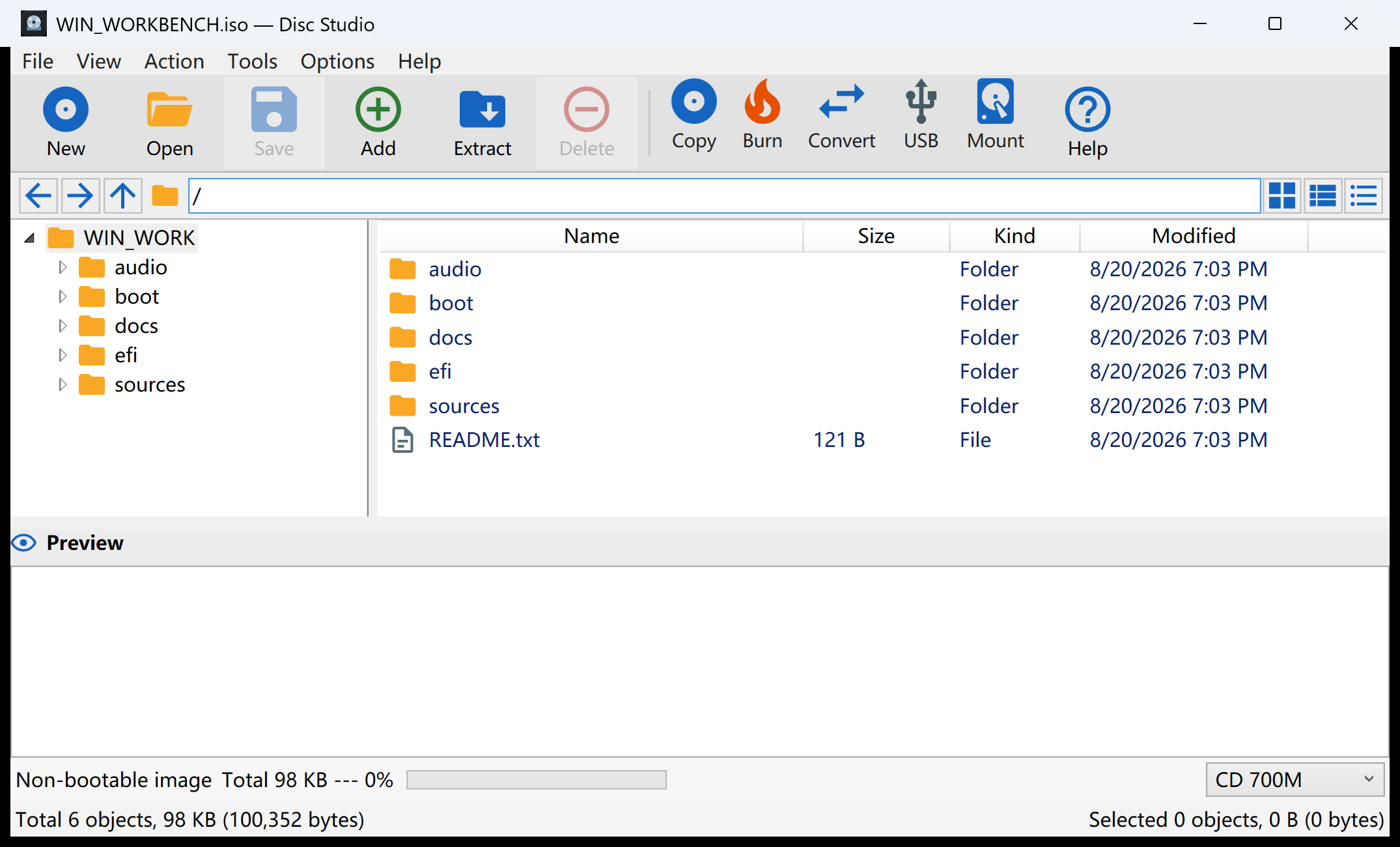
- Open an ISO and browse it like a folder.
- Add and remove files, then save a new ISO without a trial watermark.
- Extract a selection without burning a disc.
- Convert BIN/CUE and older dumps when that is the file you actually have.
- No account, no adware bundle, no upload.
Mount-only tools fail the save test. Browser converters fail the privacy test. Trialware fails the “free” test the first time you click Save.
How Disc Studio meets that list
Disc Studio is a WPF workbench for Windows 10 and 11. File → Open Image, edit the tree, Save Image As ISO. The same window converts, mounts, hashes, burns with IMAPI, and writes a bootable USB. A command-line twin, disc-studio.exe, covers the repeatable jobs.
It is honest about the rest: no PowerISO DAA, no signed SCSI virtual-drive miniport, no true CD-DA / VCD / CDDB suite. Mounting uses Windows, WinCDEmu, or ImDisk.
A 10-minute test before you trust any “free” download
- Open a disposable ISO, not your only Windows installer.
- Add a tiny text file.
- Save Image As a new ISO.
- Open the new file and confirm the text is there. If the app asks for money, an account, or an upload at step 3, it was not free.
Need the exact clicks for the edit? Use how to edit an ISO on Windows. Need files out only? Use extract files from an ISO.
Download notes
Installer: DiscStudio-Setup.exe, 79.17 MiB. Portable: DiscStudio.exe, 187.34 MiB. SHA-256 hashes are on the product page. The current build is not Authenticode-signed.
Questions people ask next
Is Disc Studio actually free?
Yes. No ads, no account, no paid save. The current build is not Authenticode-signed, so SmartScreen may warn once.
Does a free ISO editor upload my files?
This one does not. Open, edit, convert, mount, burn, and USB write all run on the Windows PC.
What formats can I edit besides ISO?
Open ISO, BIN/CUE, NRG, MDF, CCD, and several archives or virtual disks. Write ISO, DSIM, or BIN/CUE. DAA is not supported.
Is “free ISO editor” the same as UltraISO or PowerISO?
Those are commercial suites with their own formats and drivers. Disc Studio is a local UtiliVera workbench. It does not clone every proprietary feature.