Extract without burning
How to extract files from an ISO on Windows
Most people who search “extract ISO files Windows” do not want a new disc. They want one driver, one WIM, or a folder of docs out of a multi-gigabyte image. Mounting the ISO and copying everything is the loud way. Extract the selection.
Extract, mount, or edit — pick one job
Extract when you need files on the host disk. Mount when a program expects a drive letter. Edit when the ISO itself must change. Mixing those three is how people waste an afternoon unpacking a Windows image they only needed one file from.
Explorer can do a copy after you mount. That is fine for a small ISO. It is clumsy when you want sources\install.wim and nothing else, or when the file is BIN/CUE and Explorer will not mount it.
Steps
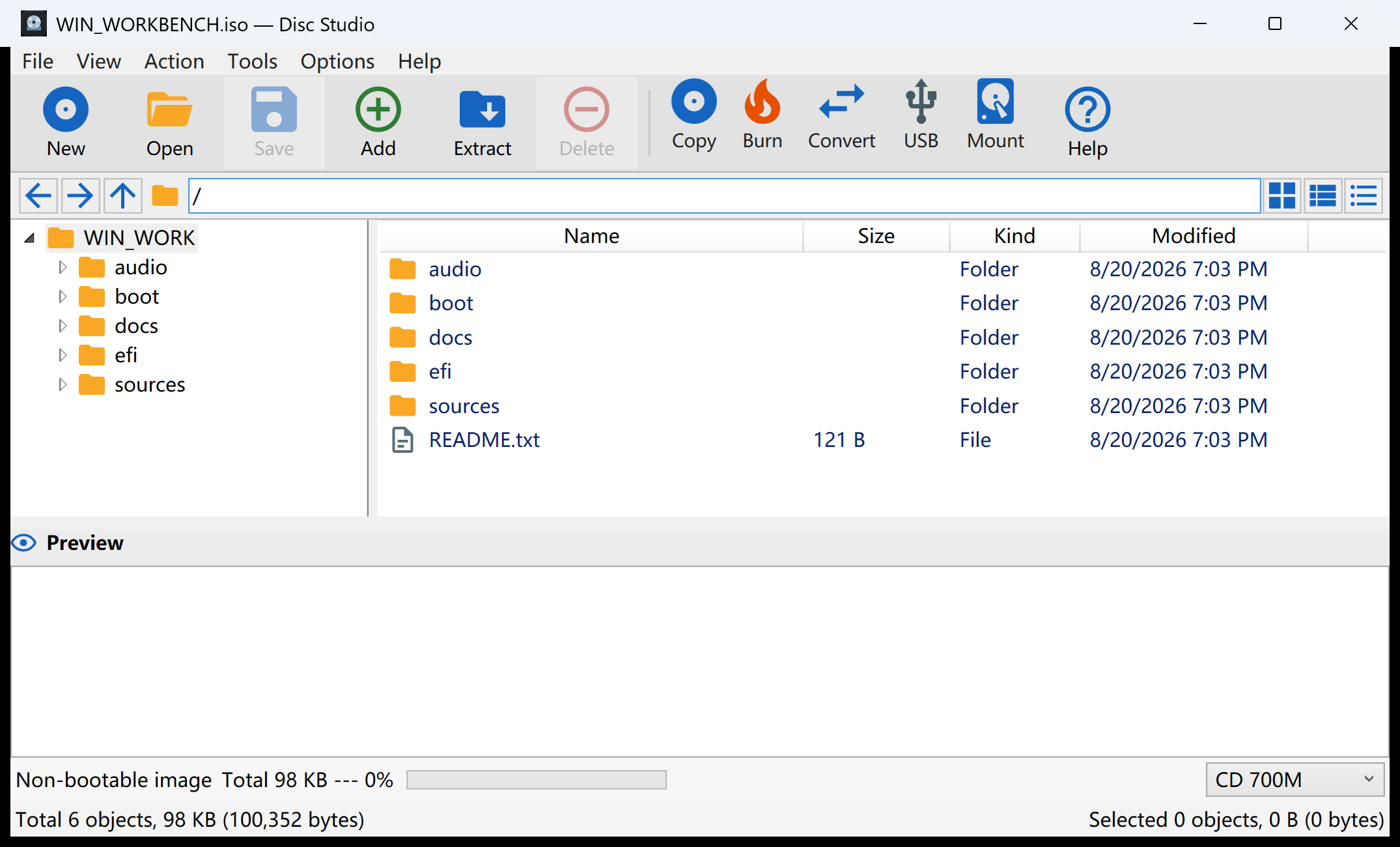
- Open the ISO in Disc Studio with File → Open Image.
- Browse to the files in the image tree. Preview if you are unsure which readme you need.
- Extract Selected to a new folder on the host.
- Leave the ISO alone. Extraction does not rewrite the image.
When 7-Zip is enough
7-Zip can open many ISO files and copy contents out. Use it if that is already on the PC and you only need a dump. Use Disc Studio when the next step is convert, mount, hash, or save a changed image — or when the source is an optical disc, BIN/CUE, NRG, or MDF.
Do not extract just to rebuild the same ISO
If you unpacked everything because you wanted to add one file, you took the long road. Edit the ISO and Save Image As instead. Extract is the right tool when the image is the archive and the host folder is the destination.
Questions people ask next
Can Windows extract an ISO without extra software?
You can mount the ISO and copy files in Explorer. That still mounts a virtual DVD. A workbench can extract a selection without a drive letter.
Is extracting the same as editing?
No. Extract copies files out. Edit changes the image and saves a new ISO.
Can I extract from BIN/CUE or NRG?
Yes. Open the image first. The extract command works on the files you can see in the tree.
Will extract upload my ISO?
No. The copy stays on the Windows PC.