Windows 11 mounting
How to mount an ISO on Windows 11
Windows 11 can mount an ISO in one double-click. That search still explodes because the built-in trick fails the moment you have two images, a BIN/CUE, or a drive letter you want back without opening Disk Management.
What Windows 11 already does well
For one clean ISO, you do not need extra software. Explorer uses the Windows Storage mount. It is fast and it needs no account. This page would be dishonest if it pretended otherwise.
Right-click the file, choose Mount, and a DVD letter appears under This PC. Eject that letter when you are finished. That is the whole built-in path.
When “mount ISO Windows 11” still needs a workbench
- You want two or more images mounted at once.
- The file is BIN/CUE, NRG, or MDF, not ISO.
- You want a tray icon that lists every virtual disc.
- You also need to edit, convert, or extract, not only mount.
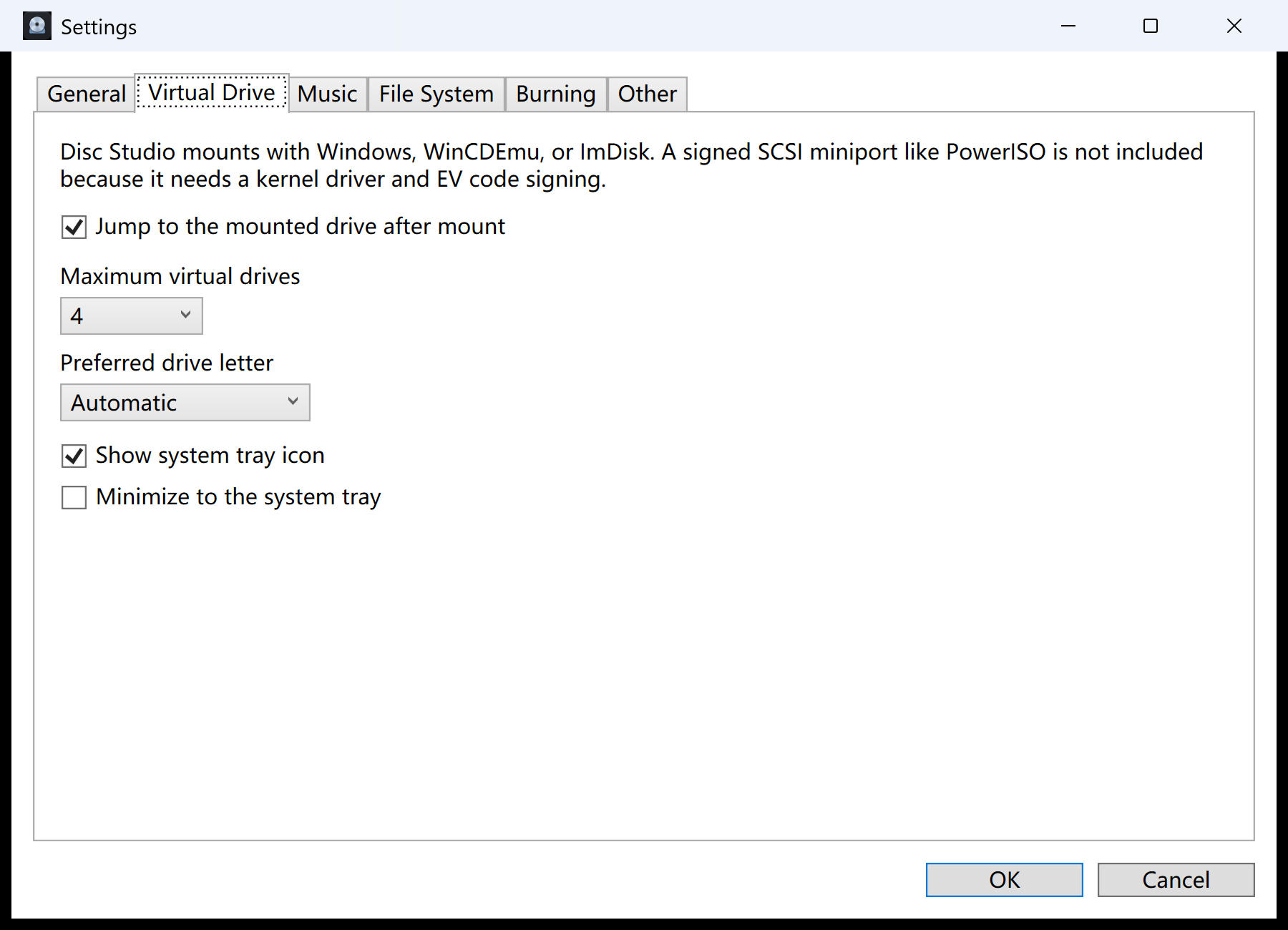
Disc Studio mounts with Windows, WinCDEmu, or ImDisk. It does not ship a signed SCSI miniport. That is a kernel driver plus EV signing, and this build does not include one.
Steps
- Mount a simple ISO in Explorer if that is all you need.
- Open Disc Studio for extra slots, other formats, or the tray. File → Open Image, then Mount Image.
- Set Virtual Drive slots in Settings. Default is four, maximum is eight.
- Unmount from the tray or the Mounted Images window so letters do not pile up.
Mount versus extract
Mount when a program expects a drive letter. Extract when you only need a few files on the host disk. Mounting a 6 GB installer just to copy one text file is slower than opening the image and extracting that path.
If Windows refuses the file
An incomplete download, a BIN renamed to ISO, or a damaged header will produce “The disc image file is corrupted.” Open the same file in Disc Studio. If the tree is empty or the size looks wrong, replace the download. Do not keep remounting a truncated ISO.
Questions people ask next
Why does Windows say the ISO is corrupt?
The download is incomplete, or the file is not an ISO. Open it in Disc Studio; if the tree is empty, replace the download.
Can I mount BIN/CUE in Explorer?
No. Convert to ISO or open it in Disc Studio.
Is a virtual drive the same as a paid SCSI driver?
No. This app uses Windows, WinCDEmu, or ImDisk. It does not install an unsigned kernel driver.
How many images can Disc Studio mount?
Up to eight virtual drive slots. The default is four.