Windows ISO workbench
How to edit an ISO file on Windows
Windows can mount an ISO, but it will not let you add a driver folder, delete an unused language pack, or save the result as a new image. That is the job people mean when they search for how to edit an ISO file on Windows.
Why File Explorer cannot edit an ISO
On Windows 10 and Windows 11, double-clicking an ISO mounts it as a virtual DVD. That is useful for reading. It is not an editor. You cannot drop a folder into that drive and click Save. The mounted letter is a read-only view of a finished image.
Paid suites exist because this gap is real. A free ISO editor only matters if it actually writes a new image, not if it merely mounts one.
When you should edit the ISO instead of rebuilding from a folder
Edit in place when the image is already 90% correct: a Windows setup ISO that needs one driver, a Linux ISO that needs a kickstart file, or a dump that contains one extra readme you want gone. Rebuild from a folder when you are composing a new disc from scratch.
A full rebuild is cleaner when the folder tree is small. It is the slow way when the image is several gigabytes and you only need to touch two files.
Steps
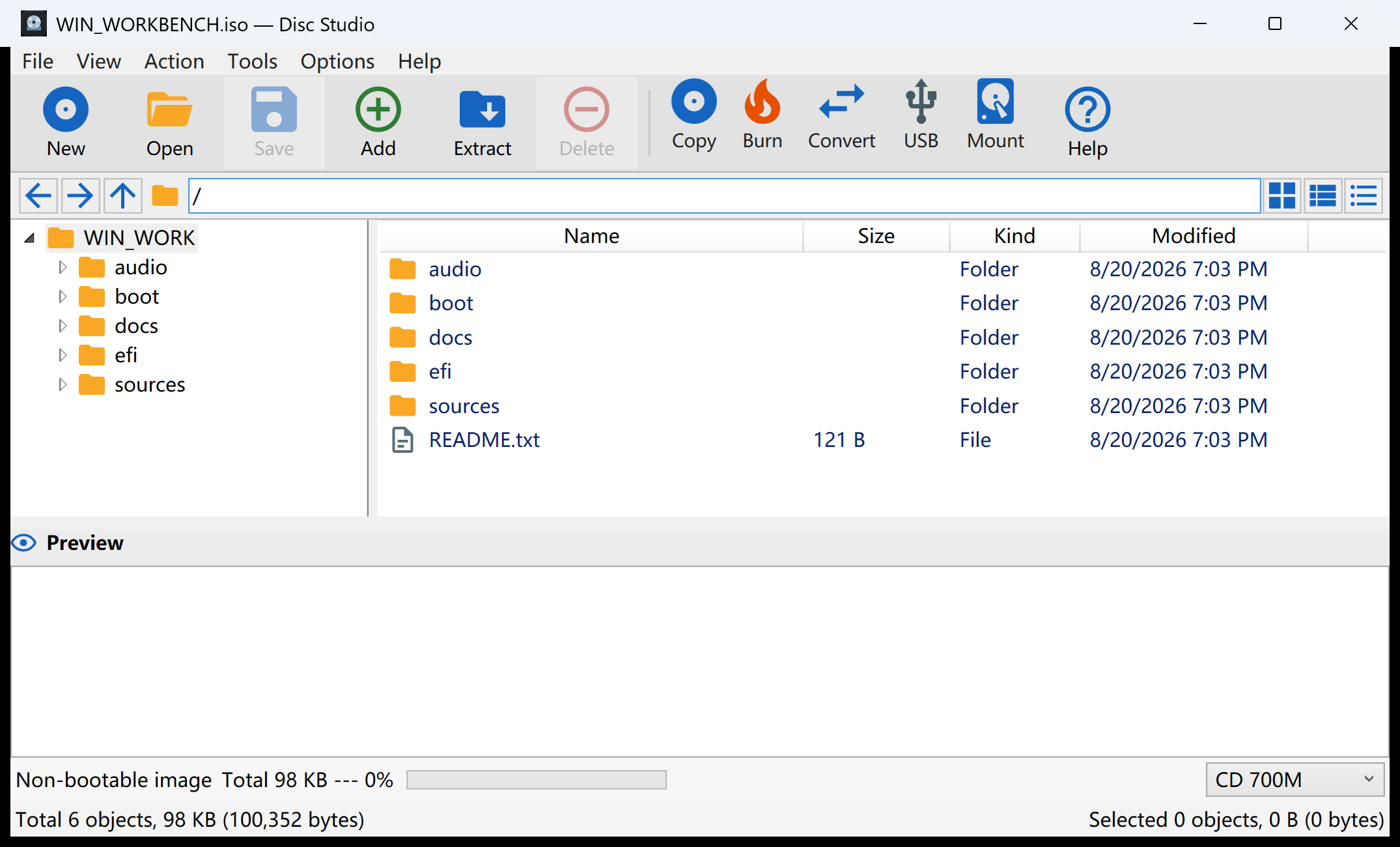
- Open the ISO, do not extract it first. A full extract of a multi-gigabyte image is the slow way. Open it in Disc Studio with File → Open Image and work inside the tree.
- Change only what you came to change. Use Add Host Files for files on this PC, Extract Selected if you only need a copy out, and keep
bootandefiif the disc must start. - Save Image As a new ISO. Keep the original until you have opened the new file once. You can also write DSIM or BIN/CUE in 2048 or 2352 mode.
- Test the result. Mount it or browse it again. If it is an installer, test on a spare USB or VM before you rely on it.
Common edit jobs that are safe
- Drop a
$WinPEDriver$or OEM driver folder into a Windows setup image. - Add an
autounattend.xmlor a Linux kickstart/preseed file. - Remove a language pack, unused documentation, or a leftover readme.
- Replace one script or config without rebuilding the whole tree.
What this will not fix
Editing the file list does not unlock a copy-protected commercial disc, and it does not turn a damaged download into a valid image. If the source ISO is truncated, save will not invent the missing sectors. Disc Studio also does not open PowerISO DAA files.
If you only need a couple of files out of the image, extract selected files instead of rewriting the ISO.
Questions people ask next
Can I edit an ISO in Windows without extra software?
You can mount it and copy files out. You cannot save a modified ISO with Explorer alone.
Will editing an ISO break boot?
It can, if you remove boot or EFI files. Leave those folders alone unless you know you are replacing them.
Does Disc Studio upload the ISO?
No. Open, edit, and save run on the Windows PC.
Can I overwrite the original ISO?
You can, but Save Image As a new file first. A bad save should not destroy the only copy.