Evidence-backed Windows guide
How to find duplicate music files on Windows
Compare exact audio files, tags, and decoded acoustic fingerprints while preserving different edits, masters, and metadata.
Use three separate checks: exact bytes for identical files, artist/title metadata for catalog cleanup, and a decoded acoustic fingerprint for the same audio stored with different tags or encodings. Only the exact-byte result is safe for automatic cleanup.
Keyword focus: find duplicate music files WindowsChoose the comparison that matches the question
Exact bytes answer whether two files are identical. Tags answer whether artist and title agree. Acoustic fingerprints answer whether decoded audio is similar across sample rate, channel, or metadata differences.
Do not discard alternate masters
A lossless FLAC, a delivery MP3, a radio edit, and a remaster may relate to the same song but serve different purposes. Keep format, bitrate, duration, and path visible during review.
Protect the canonical music library
Mark the curated library as a reference location, then scan download, sync, or backup folders as normal locations.
- Run Exact content
- Run Audio metadata
- Run Acoustic fingerprint
- Compare duration and codec
- Remove only byte-verified redundant copies automatically
Export before cleanup
A CSV, JSON, or HTML result gives you a stable record of groups and paths. Save the session so changed files are revalidated before later cleanup.
First-party workflow evidence
Controlled input → mode → expected result → actual result
- Controlled corpus
- The audio fixture includes an exact copy, the same recording with changed tags and embedded artwork, a re-encoded version, a different channel layout, a radio edit, and a different recording that shares artist and title text.
- Mode and parameters
- Use Exact content for byte identity, Audio metadata for catalog candidates, and decoded acoustic fingerprint for recording-level review. Compare duration, codec, bitrate, channels, tags, artwork, path, and intended use before cleanup.
- Expected result
- Only identical bytes qualify for automatic cleanup. Tag and fingerprint matches remain review-only. Alternate masters, edits, lossless archives, and delivery encodes remain visible as separate files.
- Actual 0.9.0 result
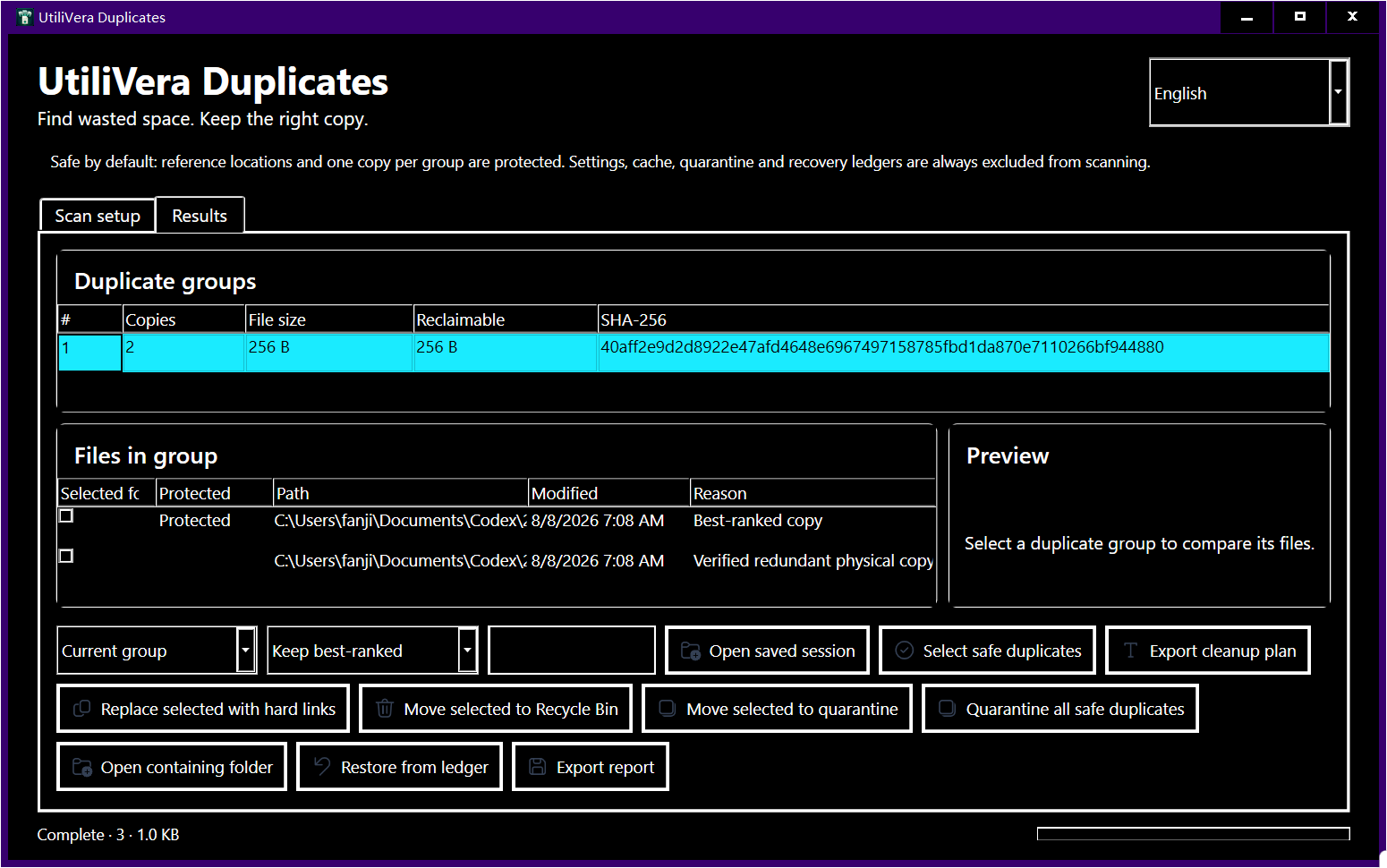
- The frozen engine tests cover tag differences plus sample-rate and channel-layout changes. Exact files remained the only automatically selectable group; metadata and decoded-audio relationships were reported for review without claiming byte identity.
Failure modes and limits
Fingerprints can associate recordings that are related but not interchangeable, and tags can be incomplete or wrong. A lossless master and a portable MP3 have different jobs even when they contain the same performance.
A scan result can become stale when a file changes after discovery. Revalidate before mutation, close applications that may be writing the files, keep sufficient free space for quarantine or recovery, and treat cloud placeholders as unavailable until they are fully local. A power loss, access-control change, antivirus quarantine, or another process locking a path can interrupt cleanup; the plan and ledger must remain reviewable rather than silently claiming success.
Verify recovery before a large job
Protect the canonical library, export CSV or JSON, test one quarantine and restore, and rescan the music application. Keep a backup of playlists and the library database because restoring a file does not automatically repair every catalog entry.
Record the input paths, selected mode, application version, result count, proposed reclaimable bytes, and final hashes. That record turns a one-off cleanup into a repeatable procedure and makes it possible to explain why a file was selected. If expected and actual results differ, stop and preserve the exported report instead of compensating with manual bulk deletion.
Bound to one frozen build
These statements use the 353,792-byte executable with SHA-256 5F59977C69A25CCCB9569D1ED3F4F2D8043E2336CCFCD4C14933A623C754D727. The product audit passed; the current public installer is unsigned.
Frequently asked questions
Can duplicate music have different file sizes?+
Yes. Different codecs, bitrates, tags, album art, or sample rates change the bytes and size.
Is matching artist and title enough?+
No. Tags can be wrong or shared by different recordings. Treat tag matches as review-only.
Does UtiliVera decode audio?+
Its acoustic mode compares decoded fingerprints and its tests cover differing metadata, sample rates, and channel layouts.
Intent-specific primary sources
This guide combines the frozen product’s public test evidence with the following official or primary technical references. Links were checked August 15, 2026.
Editorial method: claims about UtiliVera are accepted only when tied to the frozen hash and public evidence artifact. Claims about another product are limited to that vendor’s official page. Approximate matches are never described as proof, and the absence of a signed public installer remains visible.
UtiliVera Duplicates
Verify first. Clean second. Recover when needed.
The unsigned public installer is available now. Review the Windows warning and verify SHA-256 before running it.
View unsigned download details