Evidence-backed Windows guide
How to choose the best duplicate file finder for Windows
Compare Windows duplicate file finders by byte verification, keeper protection, previews, dry runs, recovery, and reports before cleaning your files.
Use six safety checks before trusting a duplicate file finder: exact byte proof, protected keeper folders, a hard boundary between exact and approximate matches, a readable dry run, recoverable cleanup, and an exportable report. Scan speed matters only after those checks protect the copy you intend to keep.
Keyword focus: best duplicate file finder WindowsRun six safety checks before comparing speed
First, require hash-assisted byte verification for exact files. Second, protect a reference folder and the final copy in every group. Third, keep similar photos, music, and videos review-only. Fourth, inspect a dry-run plan before mutation. Fifth, test Recycle Bin, quarantine, or ledger-based recovery. Sixth, export paths, decisions, hashes, and reclaimable bytes so the cleanup can be explained later.
- Prove exact matches with a final byte comparison
- Protect reference folders and one keeper per group
- Keep approximate media matches review-only
- Inspect a dry-run cleanup plan
- Remove and restore one test copy
- Export a report before scaling up
Inspect the selection model
Automatic selection should explain why one copy is kept and which scope the rule affects. Reference locations and the last copy in every group must remain protected.
Test recovery, not only removal
Recycle Bin support is useful, but a quarantine ledger gives a more explicit path and integrity record. Hard-link replacement needs a durable rollback that can recreate independent copies.
- Create a small test corpus
- Include renamed exact copies
- Include a resized photo
- Protect a reference folder
- Export the plan
- Remove and restore one copy
Compare current products with their own documentation
AllDup documents archive scanning, profiles, long paths, media preview, and hard-link actions. Duplicate Cleaner documents similar-image, audio, folder, archive, selection, and hard-link workflows. dupeGuru emphasizes reference folders. Auslogics documents ignore lists, smart selection, Recycle Bin and Rescue Center. Wise documents content modes, preview, backup, restore, and system-language behavior. Use those claims as a checklist, then verify the product you actually install.
First-party workflow evidence
Controlled input → mode → expected result → actual result
- Controlled corpus
- The dated comparison method uses the same small corpus for every product: renamed exact files, same-size different bytes, a transformed photo, retagged/re-encoded audio, a protected reference folder, an existing hard link, and a quarantine/restore exercise.
- Mode and parameters
- Review official documentation first, then score only observable capabilities: exact proof, approximate boundary, keeper protection, dry run, recovery, hard-link accounting, reports, accessibility, localization, automation, and current availability. Marketing superlatives and raw scan speed do not substitute for safety evidence.
- Expected result
- A top-tier tool must explain what constitutes proof, never auto-delete approximate matches, keep at least one copy, protect a reference location, expose a reviewable plan, and demonstrate recovery. Advanced scores require durable reports and hard-link-aware space accounting.
- Actual 0.9.0 result
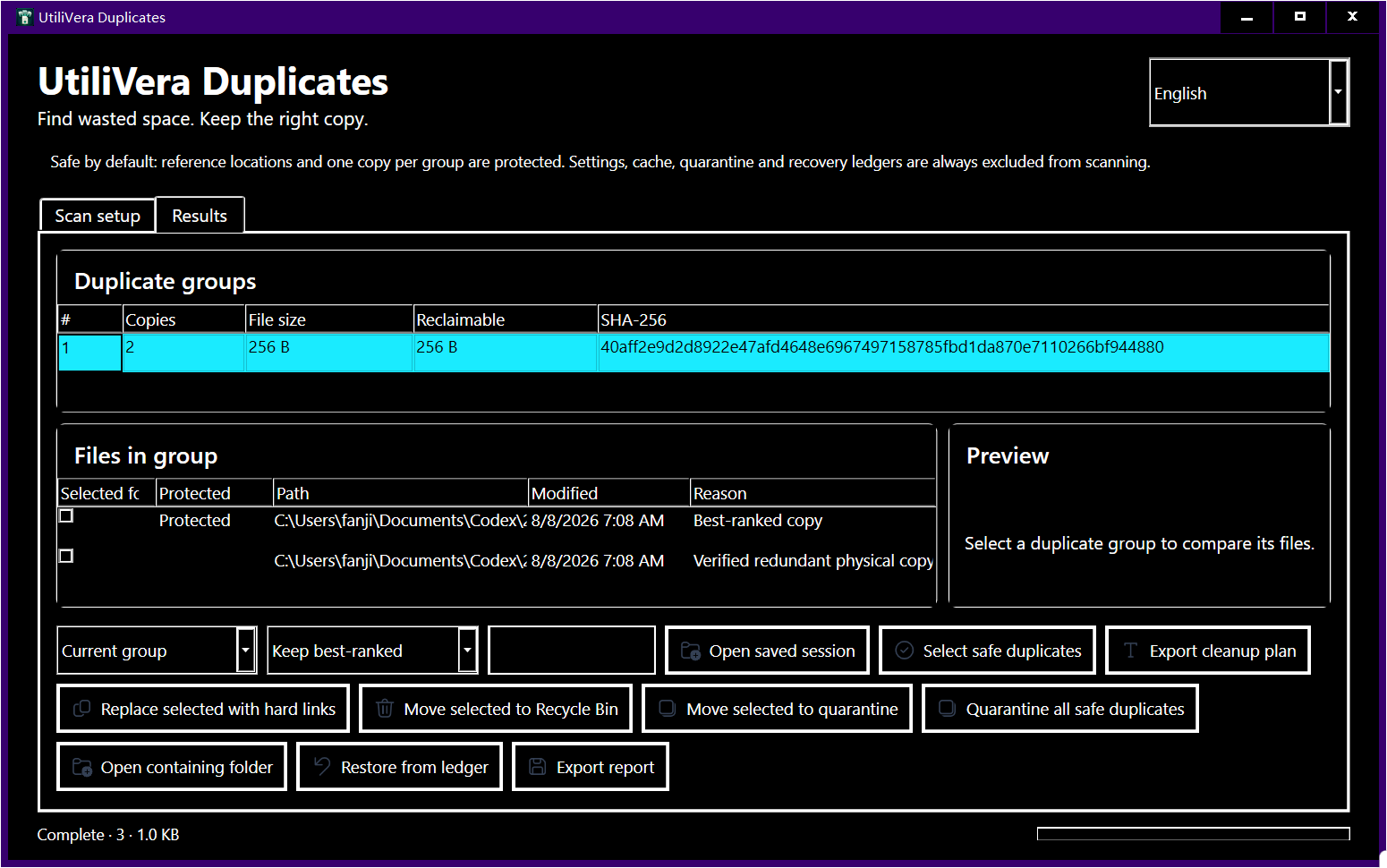
- The frozen UtiliVera 0.9.0 build closed all P0 and P1 findings in the independent product audit and scored 99/100. The public installer is available unsigned; Windows may show ‘Unknown publisher,’ and trusted signing will be added later. Competitor entries below describe documented features, not unverified claims that one product always wins.
Failure modes and limits
Feature availability can change by edition and version. Some competing products have longer reputation histories and larger support organizations. UtiliVera currently lacks a trusted publisher signature, so Windows may show Unknown publisher; the public installer and checksum are disclosed on the official release page.
A scan result can become stale when a file changes after discovery. Revalidate before mutation, close applications that may be writing the files, keep sufficient free space for quarantine or recovery, and treat cloud placeholders as unavailable until they are fully local. A power loss, access-control change, antivirus quarantine, or another process locking a path can interrupt cleanup; the plan and ledger must remain reviewable rather than silently claiming success.
Verify recovery before a large job
Do not evaluate cleanup software against your only copy of real data. Use a reproducible fixture, export results, remove one candidate, restore it, compare its hash, and inspect application references before assigning a product to a large library.
Record the input paths, selected mode, application version, result count, proposed reclaimable bytes, and final hashes. That record turns a one-off cleanup into a repeatable procedure and makes it possible to explain why a file was selected. If expected and actual results differ, stop and preserve the exported report instead of compensating with manual bulk deletion.
Dated feature and safety comparison
Checked against official product pages on August 15, 2026. “Documented” means the vendor describes the capability; it is not a claim that every edition or version behaved identically in our lab.
| Product | Documented strength or observed evidence | Boundary to verify |
|---|---|---|
| AllDup | Documented archive/media/profile/long-path/hard-link breadth | Documentation does not replace a local recovery test |
| Duplicate Cleaner | Documented similar media, selection assistant, archives and hard links | Edition-specific capabilities should be verified |
| dupeGuru | Reference-directory model and cross-platform workflow | Confirm recovery and reporting needs |
| Auslogics | Smart selection, ignore lists, Recycle Bin and Rescue Center | Verify exact-proof detail on your corpus |
| Wise Duplicate Finder | Content modes, preview, backup/restore and broad localization | Verify approximate-match boundaries |
| UtiliVera Duplicates 0.9 | Byte recheck, review-only approximation, protected keeper, plan, quarantine, hard-link rollback, reports, high contrast, 10 languages | Public unsigned installer; SHA-256 published |
UtiliVera’s product audit additionally checked exact byte revalidation, approximate review-only behavior, keeper protection, recovery, hard-link accounting, reporting, high contrast, keyboard access, and ten interface languages. Its current installer is publicly available and clearly disclosed as unsigned while a trusted certificate is obtained.
Bound to one frozen build
These statements use the 353,792-byte executable with SHA-256 5F59977C69A25CCCB9569D1ED3F4F2D8043E2336CCFCD4C14933A623C754D727. The product audit passed; the current public installer is unsigned.
Frequently asked questions
Is the fastest duplicate finder always best?+
No. Fast candidate grouping is useful, but false confidence or irreversible cleanup costs far more time.
Should a duplicate finder scan system folders?+
Usually no. A consumer cleanup workflow should exclude Windows and application locations by default.
What should I test first?+
Use copied test data and verify that the tool keeps one copy, protects the reference folder, and restores the removed file.
Intent-specific primary sources
This guide combines the frozen product’s public test evidence with the following official or primary technical references. Links were checked August 15, 2026.
- AllDup official feature description
- Duplicate Cleaner official site
- dupeGuru official site
- Auslogics Duplicate File Finder
- Wise Duplicate Finder
Editorial method: claims about UtiliVera are accepted only when tied to the frozen hash and public evidence artifact. Claims about another product are limited to that vendor’s official page. Approximate matches are never described as proof, and the absence of a signed public installer remains visible.
Removable-drive workflow
Cleaning an external drive?
Use the dedicated external-drive duplicate workflow to protect a trusted reference folder, handle disconnected media, and verify recovery before a larger cleanup.
UtiliVera Duplicates
Verify first. Clean second. Recover when needed.
The unsigned public installer is available now. Review the Windows warning and verify SHA-256 before running it.
View unsigned download details