UltraISO alternative
A free UltraISO alternative for Windows
People type “UltraISO alternative” when the trial blocks Save, the installer looks packed, or they do not want another paid suite. An alternative only matters if it writes a new ISO on this PC — and if it says what it will not clone.
What people actually need from UltraISO
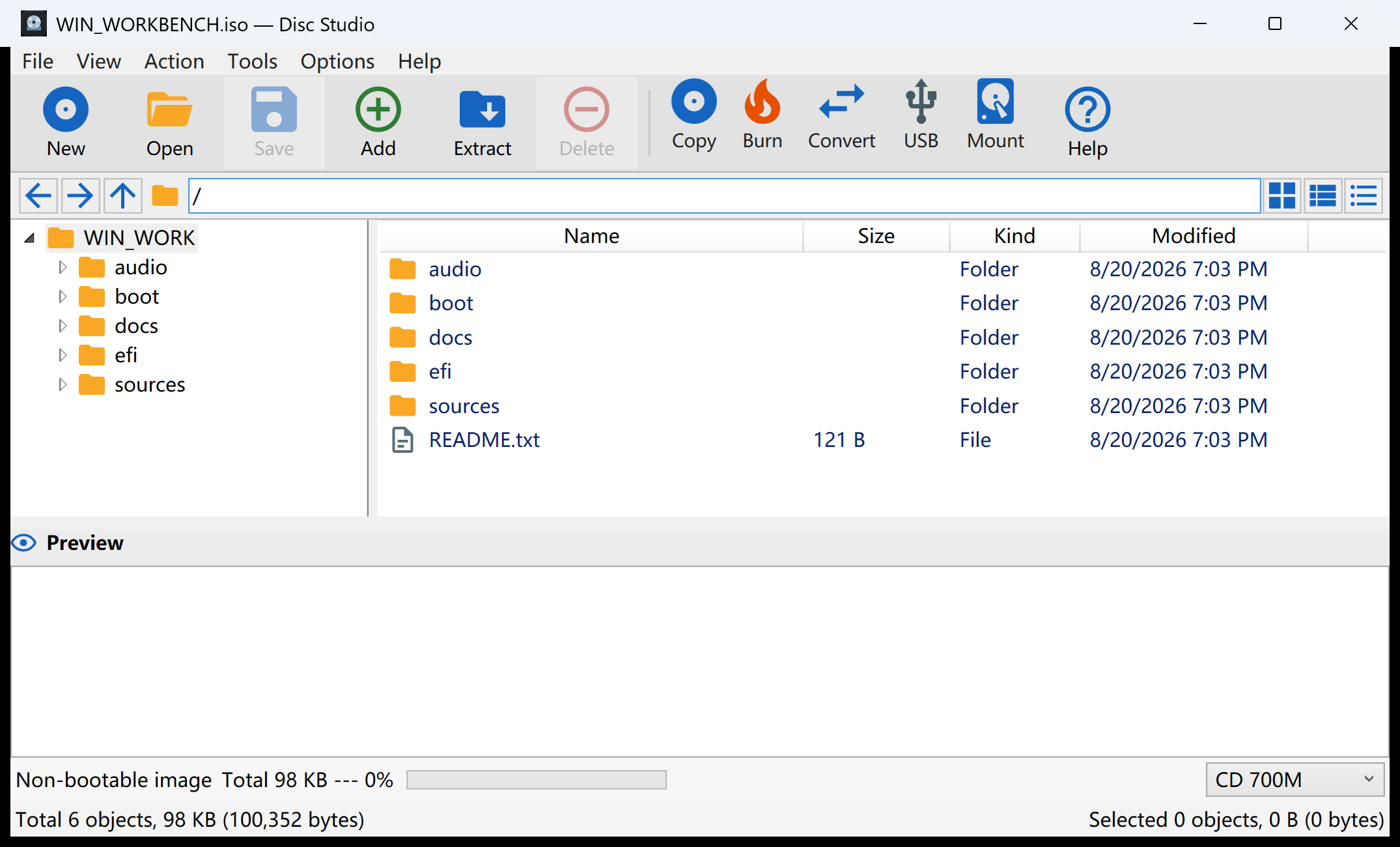
- Open an ISO and browse it like a folder.
- Add and remove files, then save a new ISO.
- Convert BIN/CUE and older dumps.
- Mount a virtual drive.
- Make a USB installer.
Disc Studio does those jobs locally. File → Open Image, edit, Save Image As. Convert and Mount Image are on the same window. USB and IMAPI burn live under Tools → Burn / USB / DISM / Audio.
What this will not pretend to be
- No PowerISO DAA.
- No signed SCSI miniport. Mounting uses Windows, WinCDEmu, or ImDisk, up to eight slots.
- No true CD-DA / VCD / CDDB / CD-TEXT suite.
- The current build is not Authenticode-signed. SmartScreen may warn once.
Those are hard limits, not hidden menus. If your daily work is DAA or a paid kernel virtual CD, this is the wrong download. If your daily work is ISO and BIN/CUE on a Windows PC, read what a free ISO editor should include.
A ten-minute test
- Open a disposable ISO. Not your only Windows installer.
- Add a small text file. Or remove a junk readme.
- Save Image As a new ISO. If money, an account, or an upload appears here, it was not an alternative.
- Open the new file. Confirm the change. Then try folder to ISO or a real edit job.
Questions people ask next
Is Disc Studio a full UltraISO clone?
No. It is a local UtiliVera workbench. It covers everyday ISO work. It does not clone every proprietary format or driver.
Can it open DAA?
No. That is a hard limit.
Does an UltraISO alternative upload my ISO?
This one does not.
Is it actually free?
Yes. No ads, no paid save. SmartScreen may warn because the build is unsigned.