Practical Windows guide
How to find duplicate videos on Windows safely
Run exact-content matching first and clean only byte-verified copies. Review perceptual video matches separately with duration, resolution, codec, frame evidence, path, and preview visible; re-encoded, trimmed, subtitled, stabilized, or color-graded videos are related, not automatically disposable.
Public · unsigned · Keyword focus: find duplicate videos WindowsSeparate byte-identical video copies from re-encoded or visually related clips, then reclaim space without deleting alternate cuts or masters.
Start with exact copies
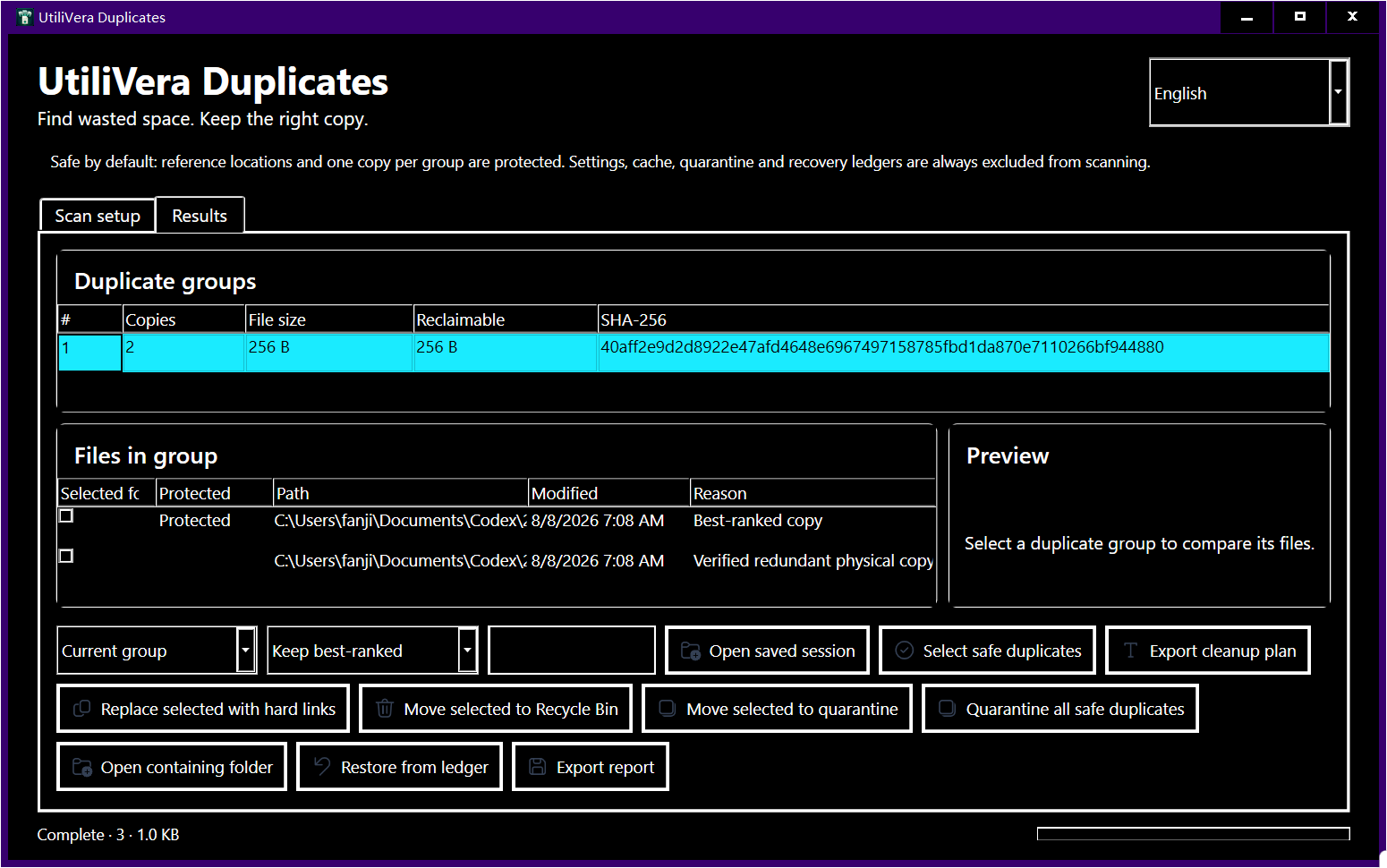
A renamed video can still have identical bytes, while two files with the same name and size can contain different data. Use a cryptographic hash to group candidates, then require a final byte comparison before treating the group as exact. Protect the last remaining copy and any trusted reference library.
Existing hard links should not count as separately reclaimable data. A trustworthy result reports physical storage conservatively and revalidates the file immediately before cleanup, because large video files may still be copying, transcoding, or syncing during a scan.
Keep similarity review-only
The same footage can be encoded as H.264, HEVC, AV1, or another codec at different resolutions and bitrates. It can also be trimmed, rotated, watermarked, subtitled, reframed, or color corrected. Those files are not byte duplicates even when sampled frames look alike.
Use sampled-frame or perceptual evidence only to build a review queue. Compare duration, dimensions, frame rate, codec, audio tracks, subtitles, date, path, and the actual preview. Never let a similarity threshold make the deletion decision by itself.
Protect masters and active projects
Mark the curated camera-original or production archive as a reference location. Scan exports, downloads, messaging folders, old backup copies, and removable drives as normal locations. Exclude video-editing cache folders, proxy media, render intermediates, and databases unless you understand how the editor references them.
A smaller export is not necessarily the copy to delete, and the largest file is not automatically the master. Preserve the version whose role, metadata, audio, captions, and edit history you need.
- Build a small test corpus
- Run Exact content
- Inspect hash and byte-verification evidence
- Export a dry-run cleanup plan
- Quarantine one verified copy
- Open and restore it
- Run Similar videos separately
- Review every approximate group manually
Plan recovery before reclaiming terabytes
Video collections are expensive to recreate. Start with quarantine or the Recycle Bin, keep an external backup, and test restoring one large file to its original path. Verify its SHA-256 after restoration and reopen the project or catalog that referenced it.
Keep the exported group report and cleanup ledger. If a source drive disconnects, a cloud placeholder is unavailable, or the file changes after scanning, stop rather than counting the operation as successful.
Product scope and reader verification
What the product audit covers—and what you must test
- Audited product capability
- The frozen Duplicates 0.9.0 evidence separates exact byte proof from review-only related-video evidence, protects reference locations and the final copy, and records plans and recovery. Public download remains held for signing.
- Task-level evidence status
- This article does not claim a frozen end-to-end run for this exact task. External-drive and duplex results depend on the real storage or scanner hardware; controlled or simulated evidence is labeled in the product audit.
- Important limits
- Perceptual video matching can miss short shared segments or flag visually repetitive footage. It does not prove that audio, subtitles, color, edits, metadata, or business purpose are interchangeable.
- Reproducible acceptance check
- Keep the source, record the settings, process a representative copy, compare expected and actual page/file counts, dimensions, content, metadata, and hashes where relevant, then scale only after the small test passes.
Open the independent product audit → · Inspect this article version →
Frequently asked questions
Can re-encoded videos be auto-deleted?+
No. Re-encoding changes bytes and may change quality, audio, captions, or edits; keep the match review-only.
Why compare bytes after hashing?+
A hash efficiently groups candidates; final byte comparison closes the identity decision before cleanup.
Should editing proxies be removed as duplicates?+
Not without checking the editor. Proxies and render files may be intentionally referenced even when related to a master.
Official and primary sources
Sources were checked August 21, 2026. Product statements are limited to the frozen UtiliVera audit; external technical statements follow the linked official source. The source-check record is public below.
Continue the real workflow
Choose the next UtiliVera tool by task
UtiliVera Duplicates
Use a small verified test before the full job.
Review the current unsigned download, exact checksum, and Windows warning before installing.
View unsigned download details