Evidence-backed Windows OCR guide
How to Make an Existing Scanned PDF Searchable on Windows
Make an image-only scanned PDF searchable on Windows with offline OCR. Choose pages and language, verify text alignment, and save a new copy.
Already have an image-only PDF? Use this OCR workflow: choose its language and page range, recognize locally, verify words against the visible page, then save a new Searchable PDF. If the source is still physical paper, use the separate scanner-acquisition workflow instead.
Keyword focus: make scanned PDF searchable WindowsStart with the source you have
Existing PDF or physical paper?
Use this page for an existing image-only PDF. If the source is still physical paper, start with the WIA paper-to-searchable-PDF workflow.
Choose the workflow by starting point
If the file already exists as an image-only PDF, use OCR to add an aligned searchable text layer while preserving the visible pages. If the source is physical paper, start with the Scan workflow to acquire pages through WIA, then verify the resulting searchable PDF. Do not run OCR again when selectable, accurate text is already present.
Confirm that the PDF is really image-only
Try selecting a word. A digital PDF may already contain renderable text; unnecessary OCR can reduce fidelity. UtiliVera copies an unedited digital PDF byte-for-byte when no OCR or visual change is needed.
Keep a backup and choose pages deliberately
Preserve the original file and write to a new destination. Select only the pages that need recognition so a large mixed document does not waste time or alter pages that already work.
Review text-layer alignment
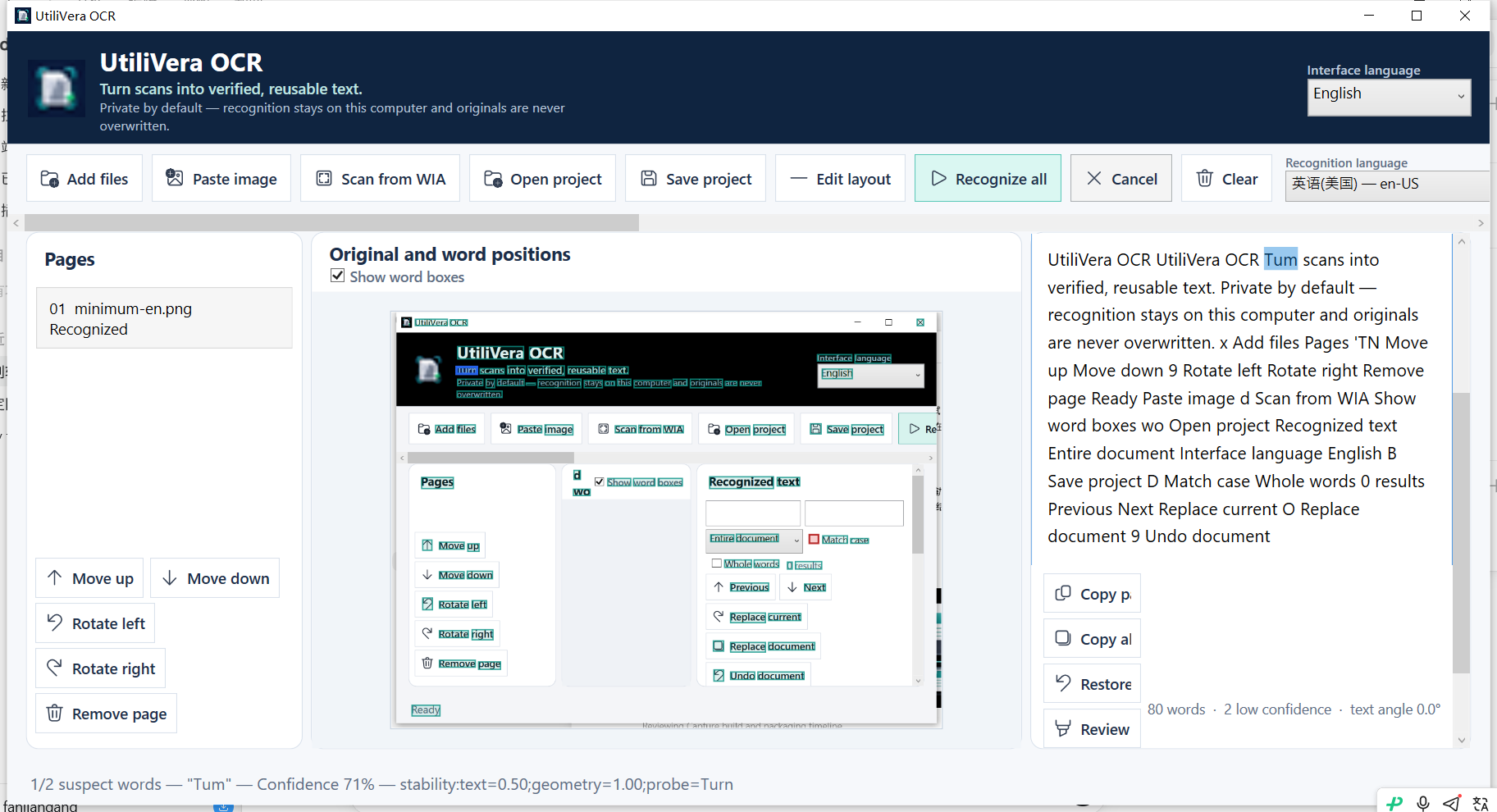
A searchable PDF depends on corrected text and geometry. Inspect words in the source view, correct rotations and perspective, and verify search hits near the visible word before accepting the result.
- Open the PDF
- Choose pages and language
- Recognize locally
- Review suspect words
- Export Searchable PDF
- Open the result and search several known terms
Use PDF/A only for the archival job
PDF/A adds conformance requirements beyond searchability. UtiliVera’s tagged PDF/A-3u path embeds output intent, Unicode text, document structure, table tags, and parent-tree relationships; the frozen audit used veraPDF for validation.
First-party workflow evidence
Controlled input → settings → expected → actual
- Controlled input
- Frozen 4×3 table image plus the audited PDF/A output path.
- Mode and settings
- Real OCR, automatic Text/Table regions, corrected geometry, tagged PDF/A-3u export.
- Expected result
- One Table, four TR, three TH, nine TD tags, searchable text, and veraPDF 3u PASS.
- Actual 0.7.0 result
- Frozen 0.7 produced the exact tag counts and veraPDF 1.30.2 returned PASS for PDF/A-3u.
Inspect all 140 named test results · Verify this guide workflow · Verify artifact hashes
Failure modes and limits
Searchability does not prove every character is correct. Security restrictions, damaged PDFs, extreme skew, and poor scans can block or degrade recognition.
Always inspect names, codes, dates, totals, and negative signs. A confidence score helps prioritize review; it does not make an unchecked result authoritative. Stop when the processed preview removes content or when expected and actual structure differ.
Recovery and verification
Keep the original PDF, save the review project, and write the searchable result atomically to a different filename. Compare page count and several known search terms.
Record the input filename, page range, recognition language, processing settings, application version, output format, and a few known search terms or cell values. That record makes the result reproducible and explains what was checked.
Bound to one frozen build
These statements use the 346,624-byte executable with SHA-256 31E46DEC406F6FFF4A8CF68EB66E347234C2DB87EFAA32FAAC7A3EBF504C9784. The product audit passed; the current public installer is unsigned.
Frequently asked questions
Will the visible scan be replaced by typed text?+
No. Searchable PDF keeps the visible page and adds an aligned text layer.
Should I OCR a digital PDF?+
Usually not. If selectable text already exists and no visual processing is needed, preserve the digital source.
Is searchable PDF the same as PDF/A?+
No. Searchable describes a text layer; PDF/A is an archival conformance family with additional requirements.
Official and primary sources
Links were checked August 15, 2026. External-product statements are limited to the cited vendor or standards source.
Continue the real workflow
Choose the next UtiliVera tool by task
UtiliVera OCR
Recognize locally. Verify visibly. Export deliberately.
The unsigned public installer is available now. Review the Windows warning and verify SHA-256 before running it.
View unsigned download details