Optical burn
How to burn an ISO to a disc on Windows
“Burn ISO Windows 11” still means a tray and a file. Explorer can burn some ISOs. People keep searching because the built-in wizard hides, the wrong recorder is selected, or they expected an audio CD from a data image.
When Explorer is enough
Right-click a clean data ISO → Burn disc image. That is a real Windows path. This page would be dishonest if it hid it. Use it when you have one ISO, one recorder, and no extra options.
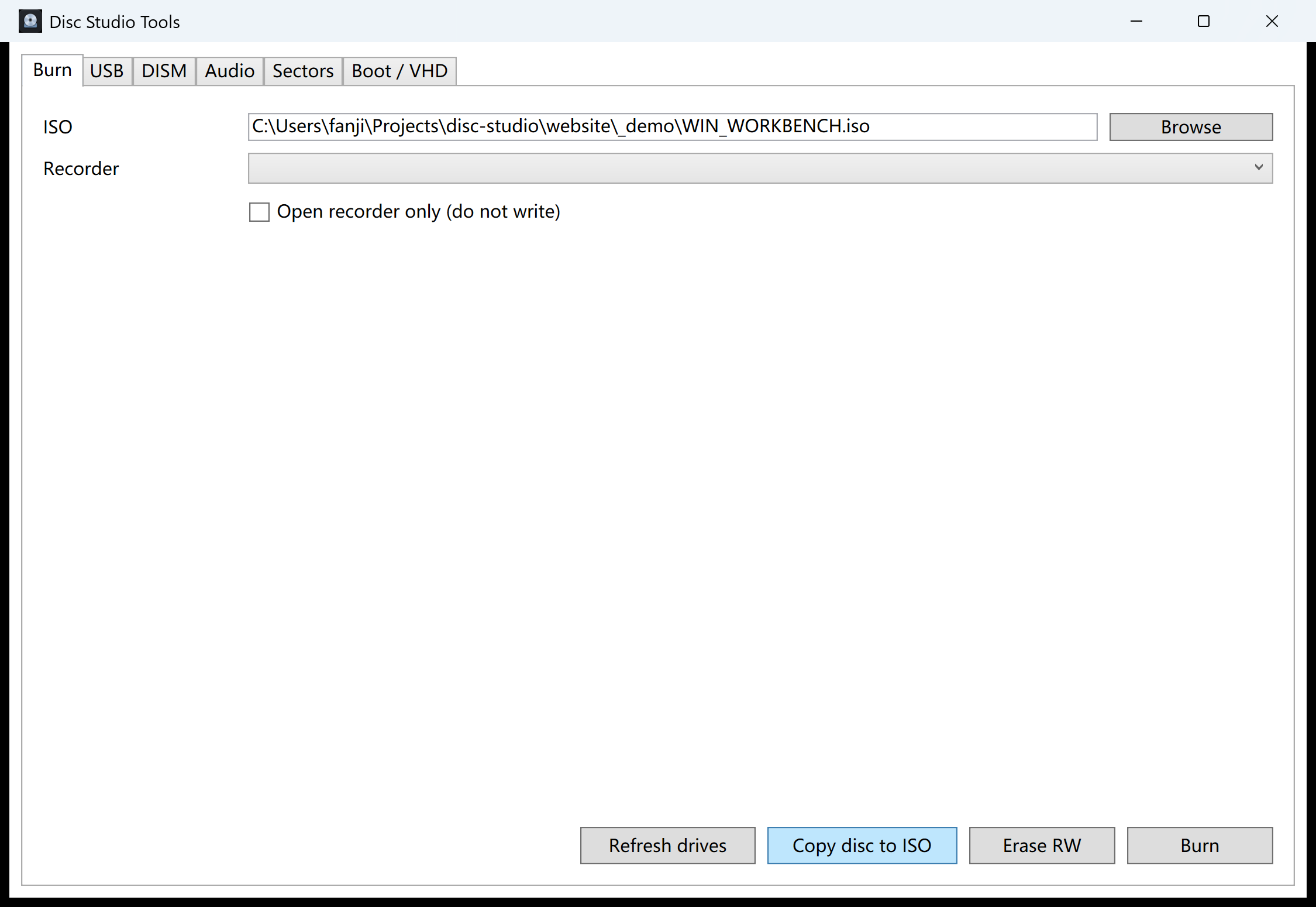
Use the workbench when you already have the ISO open, you want the recorder list next to Copy disc to ISO, or the next job is USB instead of a tray.
Steps
- Confirm the ISO is the one you meant. Open it in Disc Studio if you are unsure. A BIN renamed to ISO is the usual surprise.
- Open Tools → Burn / USB / DISM / Audio. Stay on the Burn tab. Pick the recorder letter. A wrong USB DVD writer is still a wrong tray.
- Burn. The button writes with Windows IMAPI. Do not start a second burn to the same recorder.
- Test the disc. Open it, or copy it back to ISO if you need a file again. IMAPI cannot incrementally append to a disc that was never finalized.
What this build will not burn
True CD-DA audio burning, VCD authoring, CDDB, and CD-TEXT are not included. A data ISO of WAV files is not a Red Book audio CD. If you need a USB installer instead of a tray, use bootable USB.
The current download is not Authenticode-signed, so SmartScreen may warn on first run.
Questions people ask next
Can Windows 11 burn an ISO without extra software?
Often yes: right-click → Burn disc image. Use Disc Studio when you want the tools window or the ISO is already open.
Why is the disc not readable?
Wrong ISO, a CD in a DVD-only job, or a failed write. Try another blank and confirm the file opens first.
Can I burn an audio CD from BIN/CUE?
This build does not do true CD-DA burning. Extract tracks as WAV or BIN instead.
Is burning the same as writing a USB installer?
No. A tray gets IMAPI. A flash drive uses the USB tab. See bootable USB.